Live Demo
Watch it calculate in real time
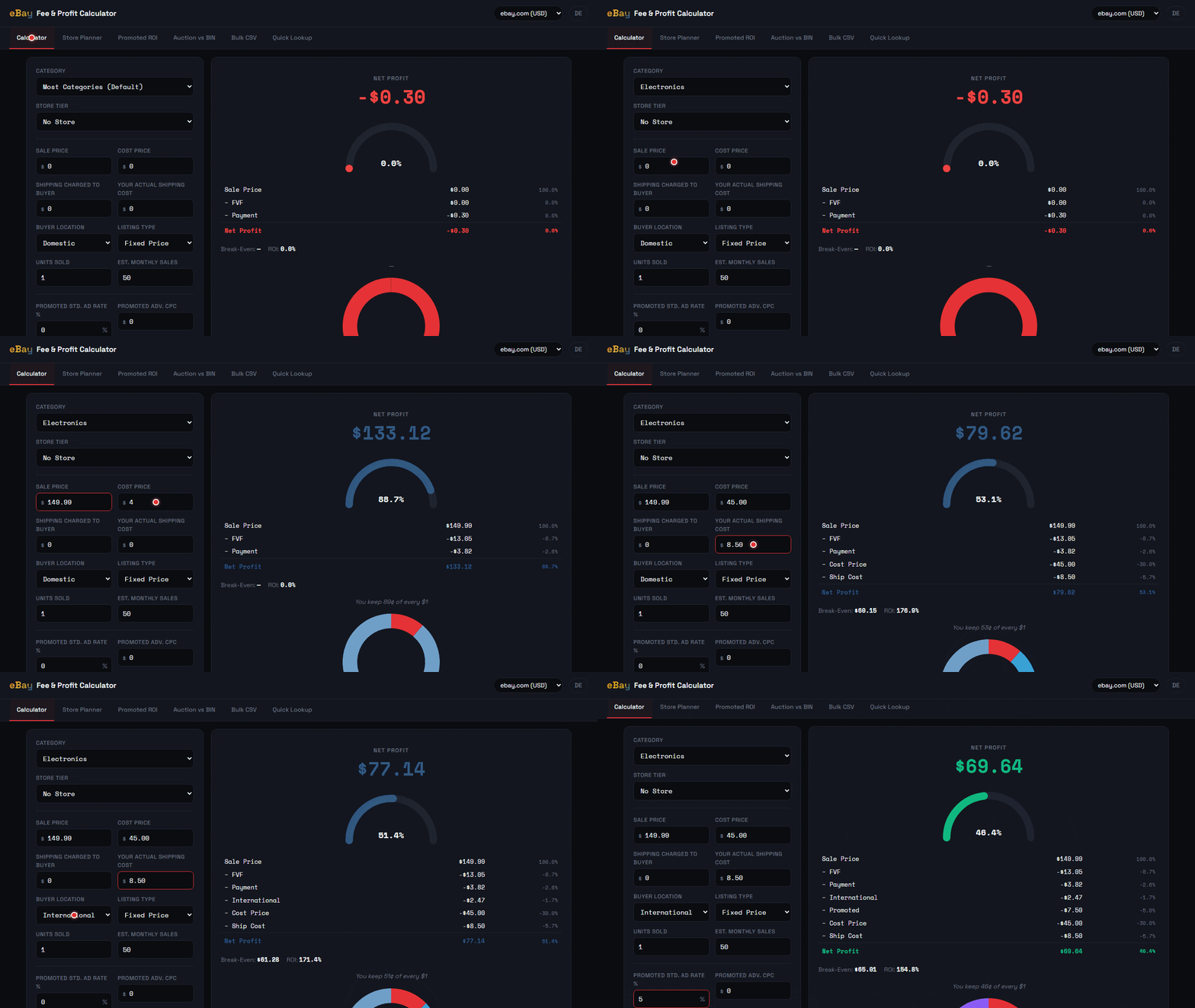
🧮 Profit Calculator — live fee breakdown as you type
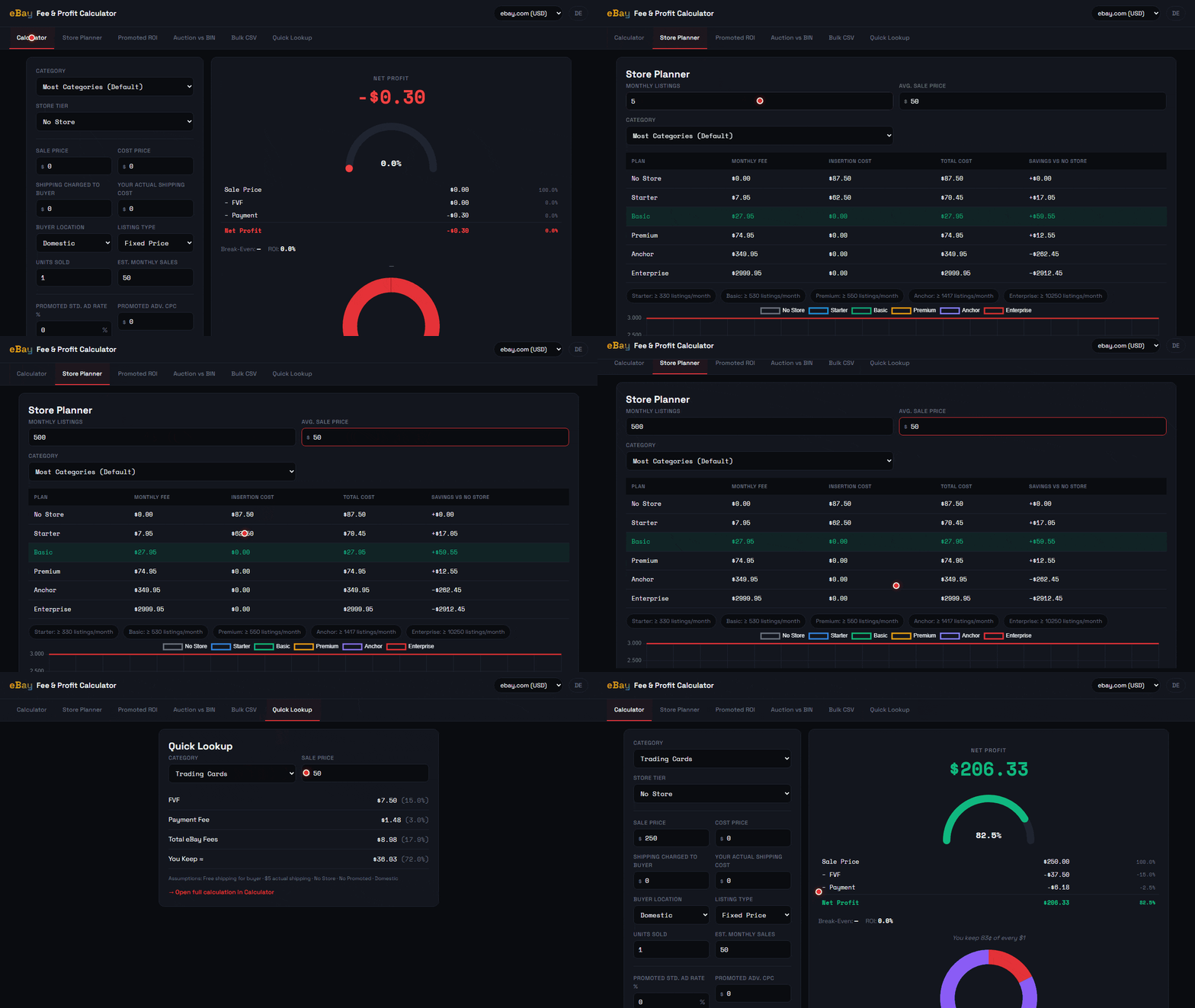
🏪 Store Planner & Quick Lookup — 2 more powerful tools
The only offline eBay fee calculator that gets the math right — tiered Final Value Fees, Managed Payments, Store Plans, Promoted Listings ROI, and Bulk CSV. All in one file.
Try it right here — no download, no sign-up, nothing leaves your browser. Enter a domestic ebay.com or ebay.de sale and watch your Final Value Fee, total fees, net profit, and margin update live. It uses the same verified 2026 fee logic as the full offline tool.
Domestic sales only. International destinations, promoted listings, listing upgrades, store/insertion fees, bulk CSV import/export, and auction vs. Buy-It-Now comparison are in the full tool.
Get the full eBay Fee & Profit Calculator →Six tools in one. No internet. No monthly fee. Open the file, start calculating.
Live calculation as you type. All fee layers stacked correctly: tiered FVF, Managed Payments, international add-on, Promoted Listings Standard & Advanced, insertion fees, and listing upgrades. Full breakdown table + donut chart + margin gauge. Works for ebay.com, ebay.de, and ebay.co.uk.
Core FeatureEnter your monthly listing volume and see exactly which of the 6 store tiers saves you the most money. Break-even volume for every plan. Line chart showing cost curves.
Find your maximum viable ad rate before promoted listings eat your profit. Table from 1%–20% ad rate with profit per sale.
Side-by-side comparison of auction vs. Buy It Now. Risk scenarios at −10%, −20%, −30% end price. Fee breakdowns for both.
Upload hundreds of rows at once. Download the pre-filled template, fill it in Excel or Sheets, import, and export results with all calculated fee columns. Loss rows highlighted in red.
Two inputs — category and price. Instant FVF, payment fee, and net estimate. For sellers at the listing stage who need a fast answer.
Most tools apply a single flat rate to the entire sale price. That's wrong. eBay's Final Value Fee uses tiered rates — different percentages apply above certain price thresholds. Our calculator applies each tier correctly.
Is a Basic Store worth it at your volume? The Store Planner calculates exact monthly costs and insertion fee savings for all 6 tiers, and tells you the break-even listing count for each upgrade.
Promoted Listings Standard is performance-based — you only pay when someone clicks your ad and buys. But the wrong ad rate can erase your margin. This tool shows you the exact ad rate where promoted stops being profitable.
Auctions can end lower than expected. This tool shows you side-by-side profit for both listing types, plus worst-case scenarios so you can decide with complete information.
For resellers with inventory batches. Download the pre-filled CSV template, fill it in Excel or Google Sheets, upload it, and get every fee calculated for every row — with loss rows highlighted in red.
One payment. You receive a single HTML file. No account. No subscription. No expiry date.
Double-click the HTML file in any browser — Chrome, Firefox, Safari, Edge. No internet required after download.
Enter your sale price, costs, and category. See the exact profit, all fees, break-even price, and ROI — instantly.
eBay's built-in calculator shows fees. It doesn't show profit, COGS, break-even, or store savings.
| Feature | eBay's Calculator | Most Free Tools | This Tool |
|---|---|---|---|
| Tiered FVF (not flat rate) | ✗ | ✗ | ✓ |
| Net Profit (after COGS) | ✗ | ✗ | ✓ |
| Break-Even Price | ✗ | ✗ | ✓ |
| Store Plan Comparison | ✗ | ✗ | ✓ |
| Promoted Listings ROI | ✗ | ✗ | ✓ |
| Bulk CSV (hundreds of items) | ✗ | ✗ | ✓ |
| International Fee (1.65%) | ✗ | ✗ | ✓ |
| 100% Offline | ✗ | ✗ | ✓ |
| No Subscription / No Login | ✗ | ✗ | ✓ |
All tools work offline. One payment. No subscription.
Know your real profit before you list — every time. One file. Works forever.
This tool is designed as a decision-support resource to help sellers estimate eBay fees and profit margins based on publicly available fee schedules. All calculations are provided for informational purposes only and do not constitute financial, legal, or business advice. Fee rates, structures, and policies are subject to change by eBay at any time without notice. Results may differ from actual charges depending on your specific account status, category, seller level, promotions, and applicable taxes. The user is solely responsible for verifying calculations against eBay's official fee schedule and for all decisions made based on this tool's output. Smart Local Tools accepts no liability for any financial decisions or losses arising from the use of this calculator.